Last updated
Users turn on 2FA in the Two-Factor Authentication section of their profile, with an authenticator app or, if the site allows it, codes sent by email.
The section is on the WordPress profile screen and on the profile form from Theme My Login Profiles.
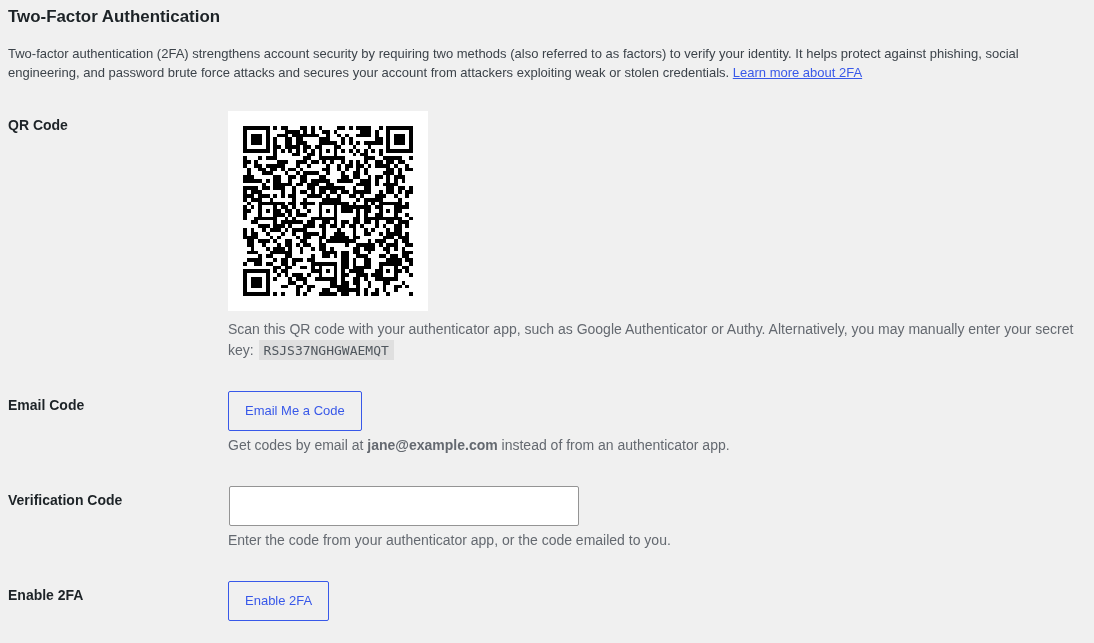
With an Authenticator App
- Scan the QR code with an authenticator app, such as Google Authenticator, Authy or a password manager that stores one-time codes. Or type in the secret key shown below it.
- Enter the 6-digit code the app shows in "Verification Code".
- Click "Enable 2FA".
If the profile says "The 2FA code you entered is invalid.", enter the app's current code and try again. App codes change every 30 seconds, so the device's clock needs to be right.
With Email
This option is there only when the site's Email Codes setting is on.
- Click "Email Me a Code". A 6-digit code is sent to the email address on the profile. It's good for 10 minutes.
- Enter it in "Verification Code".
- Click "Enable 2FA".
A new code can be sent once a minute.
Backup Codes
Once 2FA is on, the profile shows 10 backup codes. Each one works once, in place of a code from the app or email. They're shown only this one time, so save them somewhere safe.
"Refresh" replaces them with a new set, and the old ones stop working.
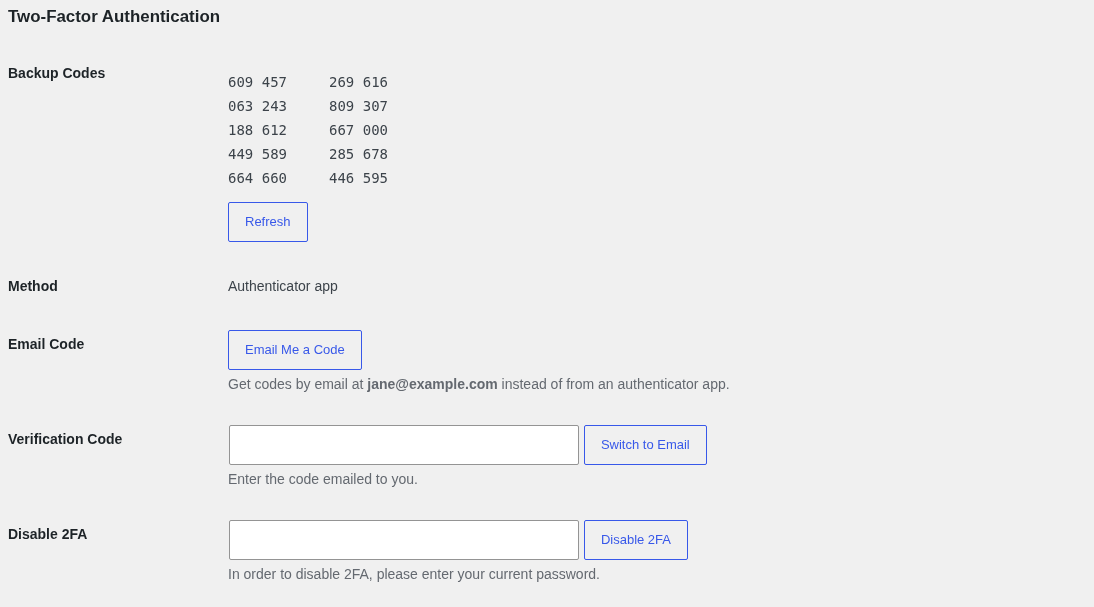
Switching Between App and Email
When the site allows email codes, the profile shows which method is in use and offers the other one:
- To email: click "Email Me a Code", enter the emailed code in "Verification Code", then click "Switch to Email".
- To an app: scan the QR code shown, enter the app's code in "Verification Code", then click "Switch to Authenticator App".
Turning 2FA Off
Enter your current password under "Disable 2FA" and click "Disable 2FA". Turning it back on later gives you a new QR code, so remove the old entry from your app.
Users in a required role are sent straight back to set it up again.
Administrators who can edit a user can turn 2FA off for them with "Reset 2FA" on that user's profile. See Locked Out of 2FA.